One island. Every Apple mic mode.
Your Apple devices already ship a noise-cancelling voice system. We map it.

Since 2021, every recent iPhone, iPad and Mac has carried Voice Isolation and Wide Spectrum — operating-system mic modes that decide what a call hears. They're free, they're good, and Apple scattered them across four OS versions, two switch locations and a per-app memory system that confuses nearly everyone. VoiceIsle documents exactly how they work, with every claim checked against Apple's published support docs and stamped with the date we checked.
Latest full verification pass: 20 September 2026 — six days after iOS 27, iPadOS 27 and macOS 27 Golden Gate shipped.
Start where your problem is

Voice Isolation on iPhone
The core guide: requirements per call type (iOS 15 / 16.4 / 18 / 26), the Control Center path, honest limits.

Mic Mode on the Mac
Apple moved the switch in Sonoma. Where it lives on your macOS, from Monterey through Golden Gate.

Not showing? Not working?
Eight checks in the right order. Most "missing" mic modes are one of three checks.

Wide Spectrum vs Voice Isolation
Opposites, not gradations. The two-second decision, mapped — and why phone calls only get one.

The iPad version
Which iPads qualify (generation list, decoded into years) and where the switch hides in iPadOS.

FaceTime audio, tuned
The four controls that change what callers hear — and why "muffled" often means it's working.

macOS mic settings, mapped
Five places macOS keeps microphone controls. No single screen shows them all; this page does.
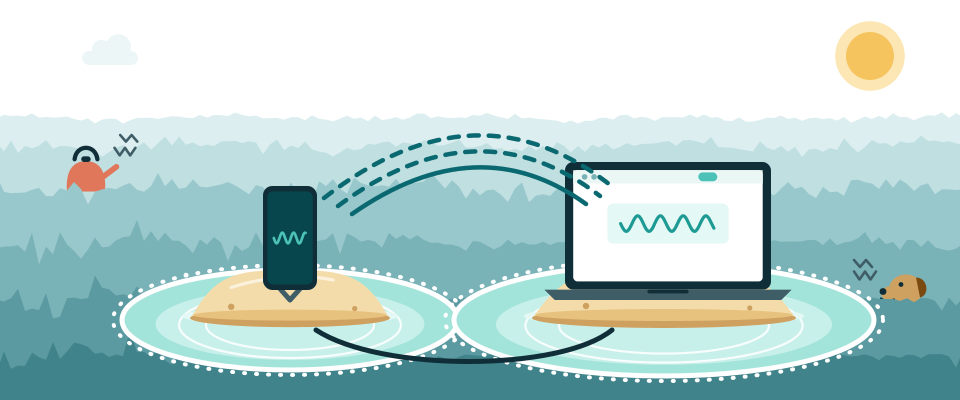
iPhone as your Mac's mic
Continuity's overlooked half: a free hardware upgrade for any Mac with a mediocre microphone.

Krisp, for Mac users
The two gaps Apple leaves on the desktop, and an honest fit-check — including who shouldn't pay.
The ninety-second version
What is Voice Isolation? An on-device mic mode that keeps your voice in a call and strips the background out. Its sibling, Wide Spectrum, does the exact opposite on purpose. Both ship free with iOS 15+, iPadOS 15+, and macOS Monterey 12+ on 2018-or-later hardware.
Where is it? Never in Settings. It appears only while something uses the mic: Control Center on iPhone and iPad; the menu-bar video/audio item on a modern Mac. That one fact resolves most "I don't have it" complaints before they start.
What's the catch? Requirements differ by context — phone calls need iOS 16.4 and never get Wide Spectrum; recording apps joined only with iOS 26 — and every app remembers its own mode separately. The iPhone field guide holds the full matrix.

How this island operates
VoiceIsle is an independent publication about operating-system voice features — the ones you already paid for when you bought the device. We verify against Apple's published support documentation and print the date on every fact-bearing page; where Apple's docs are silent, we say "the docs are silent" instead of guessing. We don't cover meeting-app settings, headphones, or hardware shopping — other people do that; the OS layer is our entire island, and we'd rather own one reef than tour the ocean.
Money, plainly: most of what we recommend pays us nothing, because the right answer is usually built in. The site carries exactly one affiliate relationship — Krisp, relevant only in specific Mac situations — always routed through a marked /go/ link with the disclosure beside the button. The full policy lives in About & the small print.
Asked at the shoreline
Is Voice Isolation the same as noise cancellation?
Functionally it's noise removal for your outgoing voice — the people you call stop hearing your background. It does nothing to what you hear in your own ears; that's a different problem with different tools.
Do I need to install anything?
No. Everything this site documents ships inside iOS, iPadOS and macOS. The only install we ever discuss is one optional Mac tool for the two gaps Apple leaves, and most readers don't need it.
Why does Apple hide the switch in Control Center?
Because it's contextual: the mode belongs to whatever app is using the mic right now, so the control only exists mid-call. Annoying to discover, sensible once you know — and the source of nearly every "I don't have this feature" complaint we see.
My device is from 2017 or earlier — any options?
Not for mic modes; Apple's hardware floor is firm (2018-era devices onward). On a Mac, third-party software can still help. On an older iPhone, honestly: the feature isn't coming, and we'd rather say so than waste your evening in Settings.
Fresh on the Tideline

Every Apple OS release that changed mic modes, 2021–2026
20 September 2026
From the Monterey debut to the iOS 26 recording-app expansion and what the brand-new 27 cycle did (and didn't) touch — one verified timeline.